
Starting August 30, 2026, BabaTap is introducing an updated booking acceptance process to help BabaTap Pros review assignments, confirm their availability, receive visit reminders, and report completed services more clearly. This update supports our Senior Home Care Services and Senior Companion Care Services by improving communication between our team, our Pros, and the families who depend on us.
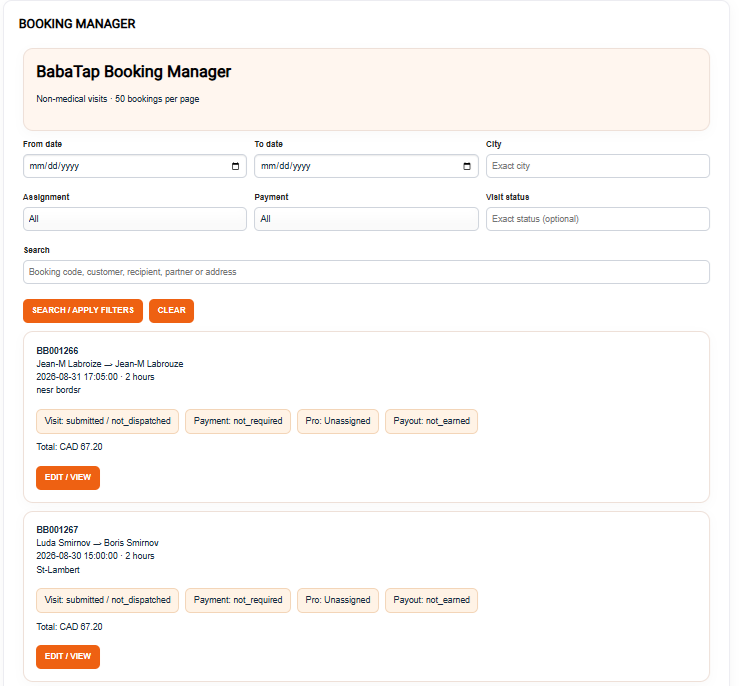
When BabaTap assigns a booking to you, you will receive an email asking you to confirm the assignment. Please review the booking details carefully, including the scheduled date and time, service location, visit duration, requested tasks, and any relevant access or communication instructions. Visit duration will be shown in hours, making it easier to understand the time allocated for the service and plan your schedule accordingly.
Before accepting, please make sure you can attend the appointment at the stated location and time and provide the requested support within your abilities and the agreed service scope. Consider travel time, your other commitments, and any instructions included in the booking. BabaTap provides non-medical companionship and everyday assistance. If a request is unclear or appears to involve responsibilities outside that scope, please contact our team before confirming.
The assignment email includes a “CONFIRM BOOKING” button. Clicking this button opens a secure page where you can review the visit details again. Opening the email or following the link does not automatically confirm the booking. On the page, you must check the acknowledgment box confirming that you can attend the visit, then press the confirmation button to complete your acceptance.
Please confirm promptly once you have reviewed the assignment and are certain you can attend. Until you complete this step, the booking remains awaiting partner confirmation. Once your confirmation is recorded, the booking status changes to confirmed, and the customer receives a confirmation email. Your response therefore helps the family know that their planned visit has been accepted.
If you cannot accept the assignment, please contact BabaTap as soon as possible so our team can review other arrangements. Do not confirm a booking simply to hold the appointment while you decide whether you are available. If you have already confirmed and an unexpected situation prevents you from attending, notify our team immediately. Early communication gives us more time to assist the customer and reduces uncertainty for everyone involved.
For confirmed bookings, the system is designed to send a reminder to both the customer and the assigned BabaTap Pro on the appointment day, using the booking’s service timezone. Reminders are generally scheduled from 6:00 a.m. local service time, with earlier timing considered for early appointments. Delivery can depend on system processing and email availability, so please keep your own record of every confirmed appointment rather than relying only on the reminder email.
Please check your inbox regularly, including your spam or junk folder if an expected message has not arrived. A missing reminder does not cancel an appointment you have already confirmed. If you are unsure about a booking’s status or cannot find the relevant email, contact BabaTap for assistance. Our team can resend a confirmation request or send a reminder specifically to the assigned Pro when needed.
Before leaving for the visit, review the address, unit or room number, access instructions, and scheduled start time. Allow enough time for transportation, parking, and entry procedures, particularly at retirement residences, assisted living communities, or hospitals. If you anticipate a delay, notify BabaTap promptly so we can help communicate with the customer. Arriving on time and being prepared are important parts of providing dependable support.
During the visit, focus on the agreed tasks and the preferences of the person receiving support. A booking may involve companionship, conversation, light household assistance, errands, or other approved activities. Treat the client with patience and respect, and communicate clearly about what you are doing. If the customer requests additional time or services beyond the booking, contact BabaTap before making changes or promising that the additional work is included.
After you have finished the visit, use the secure booking page to mark the service as “DONE.” You can access this page through the link in your booking emails. For a confirmed booking, the page provides the completion action. Check the acknowledgment box confirming that you have finished the visit, then press “DONE — Complete visit” to submit the update.
The DONE action becomes available only after the scheduled visit start time, but it must be used only when the service has actually been completed. Do not mark a booking DONE when you arrive, while the visit is still in progress, or when a service did not take place. If a customer is unavailable, the appointment is cancelled, or another issue prevents completion, contact BabaTap so the situation can be reviewed and recorded appropriately.
Once your completion is recorded, the booking status changes to completed, and the customer receives an email notification. This helps BabaTap maintain an accurate record of the visit and identify any follow-up that may be needed. Please complete this step promptly after finishing the service. If you accidentally submit an incorrect update, notify our team rather than assuming the record will correct itself.
Marking a visit DONE confirms service completion; it does not confirm that the customer has paid, and it does not automatically transfer a payout to the Pro. Customer payments and partner payouts remain separate processes. Please follow BabaTap’s payment and payout instructions and contact our team if you have a question about a specific booking.
If BabaTap removes or changes an assignment, the previous booking links will no longer authorize confirmation or completion. When an assignment is withdrawn, the previous Pro receives an email notification. Always follow the latest communication from BabaTap and avoid relying on an older message after a change has been made. If you receive conflicting information, contact our team before attending the visit.
The secure links in your booking emails are intended for the assigned BabaTap Pro. Please keep them private and do not forward them to another person to accept or complete a booking on your behalf. If another Pro needs to take over, BabaTap must update the assignment so the correct person receives the booking and the records remain accurate.
This updated process is designed to make each stage of a BabaTap booking easier to understand: review the assignment, confirm that you can attend, prepare for the visit, provide the agreed support, and mark the service DONE after completion. Thank you to every BabaTap Pro for communicating promptly and helping us provide respectful, dependable support to seniors and their families. For assistance with a booking, please contact book@babatap.com.
BabaTap
Bài viết liên quan: